PulseThrills
The World's First-and Currently Only-AI-Adaptive Drummer Engine
Adaptive Timing Engine — Real‑time musical perception and response
Humanized Groove Intelligence — Generates expressive, non‑robotic grooves
PulseDNA Learning System — Your drummer learns your style over time
Real‑Time DSP Core — Fast, precise, studio‑grade sound generation
Free Lifetime Updates
Supported Operating Systems:
Windows 10 (64‑bit)Windows 11macOS support planned — PulseBeat is currently Windows‑only
-Dual-core 2.0 GHz or better
- 4 GB RAM minimum; 8 GB recommended.
- Direct audio output device.
- Disk space for the executable and authorized drum kits.
-Internet: Required for updates and enhanced functionality in the future.
VB-Cable Setup for PulseBeat (Recommended)
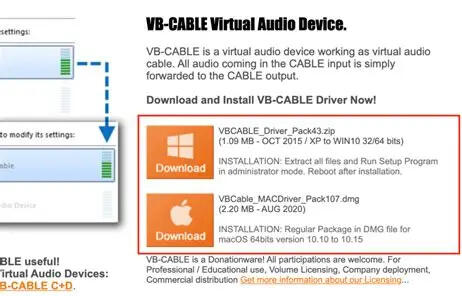
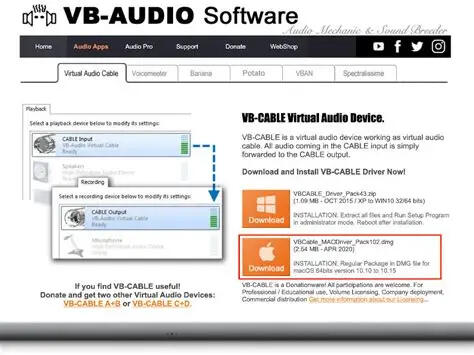
This guide walks your users through downloading, installing, and routing VB‑Cable so PulseBeat can “hear” their audio for FOLLOW and AUTO BPM modes.Below is the full step‑by‑step block you can drop directly into your landing page.01: Download VB‑Cable
VB‑Cable is the virtual audio driver PulseBeat uses to receive your system audio.Go to vb-audio.com/CableDownload VB‑CABLE Driver Pack for WindowsExtract the ZIP file before installing
02: Install the Driver
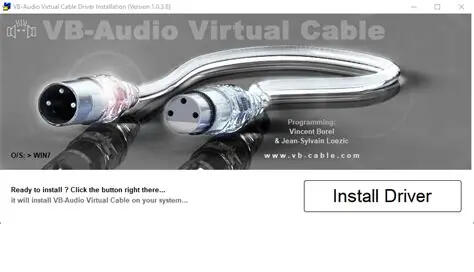
Required Step
The driver must be installed at the system level so PulseBeat can read the virtual input.On Windows: Right‑click VBCABLE_Setup.exe → Run as AdministratorRestart your computer after installation
03: Set VB‑Cable as Your Output
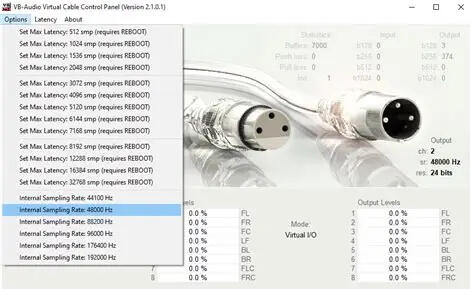
Routing your audio into VB‑Cable lets PulseBeat analyze tempo and transients.Windows: Settings → System → Sound → Output
Mac: System Settings → Sound → OutputSelect VB‑CABLE as your main output devicePlay audio to confirm levels move in the VB‑Cable control panel
04: Select VB‑Cable Inside PulseBeat
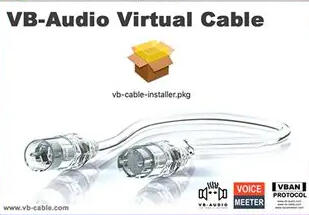
PulseBeat needs to listen to VB‑Cable to track tempo in FOLLOW/AUTO BPM modes.Open PulseBeatGo to Audio Input SourceChoose VB‑CABLE as the input deviceEnable FOLLOW or AUTO BPM
05: Verify Audio Routing
Most Common Fix
If PulseBeat isn’t detecting tempo, the routing chain is usually the cause.Play music → confirm VB‑Cable shows activityConfirm PulseBeat’s input meter movesIf not: re‑select VB‑Cable in both OS and PulseBeatAvoid mixing VB‑Cable with other virtual devices
**We're in the process of changing the name to PulseThrills. Don't worry, if you bought earlier versions you still have lifetime access to updates, the name will simply become PulseThrills.
Contact Us at [email protected]
© 2026 Pulse System Labs, a brand of Happiness With Brett L.L.C.